Block Clankers: A GitHub Action That Auto-Blocks Bot PR Spam
If you maintain anything public on GitHub right now, you've probably noticed it: a steady drip of pull requests from accounts created last week, suggesting one-line "typo fixes" or adding emoji to your README. Comments that read like LinkedIn motivational posters. Issues that are obviously prompts that escaped a chatbot somewhere.
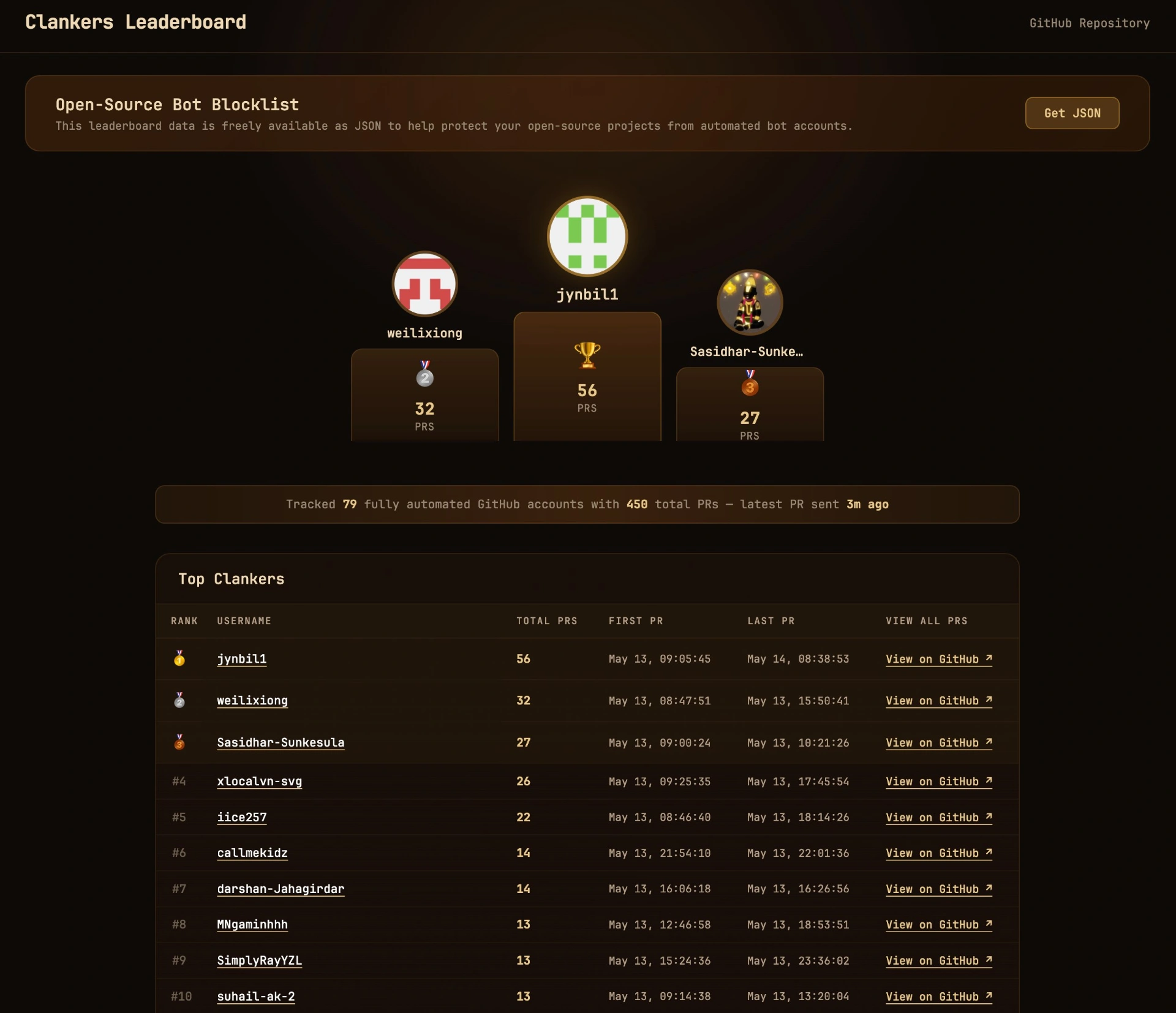
It's clankers. AI-generated noise dressed up as contributions, mostly farmed by people trying to puff up their commit history or game some bounty program. And the volume has gotten bad enough that someone made a list: UnsafeLabs/Bounty-Hunters/clankers.json, updated every few minutes with the worst offenders. In fact they even created a Clanker Leaderboard, read more about this below.
The list is great. The problem is that nobody wants to copy 80+ usernames into the GitHub block UI by hand, and the list keeps growing.
So I built block-clankers — a small GitHub Action that does it for you.
What it does
Every 30 minutes, it:
- Pulls the latest
clankers.jsonfrom the community-maintained source. - Reads your current block list (personal account or org).
- Diffs the two.
- Blocks anyone new via the GitHub API.
That's it. It's idempotent — if the list hasn't changed, nothing happens. If 12 new bots got added, those 12 get blocked. You never see them again.
You can point it at:
@me— your personal account (default)@auto— your personal account plus every org where you're an admin- A specific org by name
- Any combination of the above
The setup is fork-and-go
I deliberately wanted this to be the path-of-least-resistance install. No npm, no CLI, no hosting anything yourself.
- Fork the repo.
- Create a classic Personal Access Token with the
userscope (andadmin:org+read:orgif you want org coverage too). - Add it as a repository secret named
BLOCKER_TOKEN. - Enable Actions on the fork.
That's the whole setup. The bundled workflow runs on a cron, and you can click "Run workflow" the first time to do the initial sync without waiting.
If you'd rather reference the action from an existing repo:
name: Block Clankers
on:
  schedule: [{ cron: "*/30 * * * *" }]
  workflow_dispatch:

jobs:
  block:
    runs-on: ubuntu-latest
    permissions:
      contents: read
    steps:
      - uses: cyrisxd/block-clankers@v1
        with:
          token: ${{ secrets.BLOCKER_TOKEN }}
          targets: "@me"
Change targets to "@auto" if you also want orgs covered, or "my-org-1,my-org-2" to be explicit.
See it in action
Being gentle on the GitHub API
This was where I spent the most time, honestly. It's easy to write a script that hammers the API and gets you rate-limited or, worse, gets your token flagged. Block Clankers tries hard not to be that script.
- Diff-only writes. A steady-state run does one LIST call per target and zero writes. The action does nothing if the list hasn't changed.
- Throttled writes. Default ~1 request per second, comfortably below GitHub's ~80/min secondary rate-limit for mutating endpoints.
- Per-run cap. The first run on an empty block list could otherwise burst dozens of requests in a few seconds. Instead, it caps writes per invocation (default 200) and lets the cron pick up the tail on the next tick.
- Retry with
Retry-After. When GitHub returns 429 or a secondary-rate-limit 403, the script honors theRetry-Afterheader instead of guessing. - Exponential backoff + jitter on 5xx and network errors.
- Primary rate-limit floor. It watches
x-ratelimit-remainingand pauses until reset if quota drops too low. - Graceful 404 / 422. Missing accounts and "already blocked" responses are counted as skipped, not failed.
If GitHub has a bad day, the action backs off cleanly instead of hammering. If the source JSON ever returns an empty array (upstream wipe, suspicious), the script aborts rather than treating it as "block nobody" and silently doing nothing useful.
A special thanks to Coolify Developer @heyandras and @shadowarcanist for creating and maintaining the source list. Check out their Clankers Leaderboard
Grab the Github action now
Repo: github.com/cyrisxd/block-clankers
Source list: UnsafeLabs/Bounty-Hunters
If you fork it and it works, let me know. If a bot still slips through, open an issue against the source list — that's the right place to add it, and everyone benefits.
The clankers aren't going to stop coming. The best we can do is make sure we never see them.