Gitview: See What Claude Is Doing to Your Repository, As It Happens
Most of my commits aren't typed by me anymore. Claude makes a branch, writes the change, commits it, merges it and moves on to the next thing, often several times while I'm reading one reply.
That's great until I want to know what actually happened. Which branch is it on? Did that merge go where I think it did? Is there still something uncommitted? Every time, I'd stop, open a terminal or another app, and run git log --graph to find out.
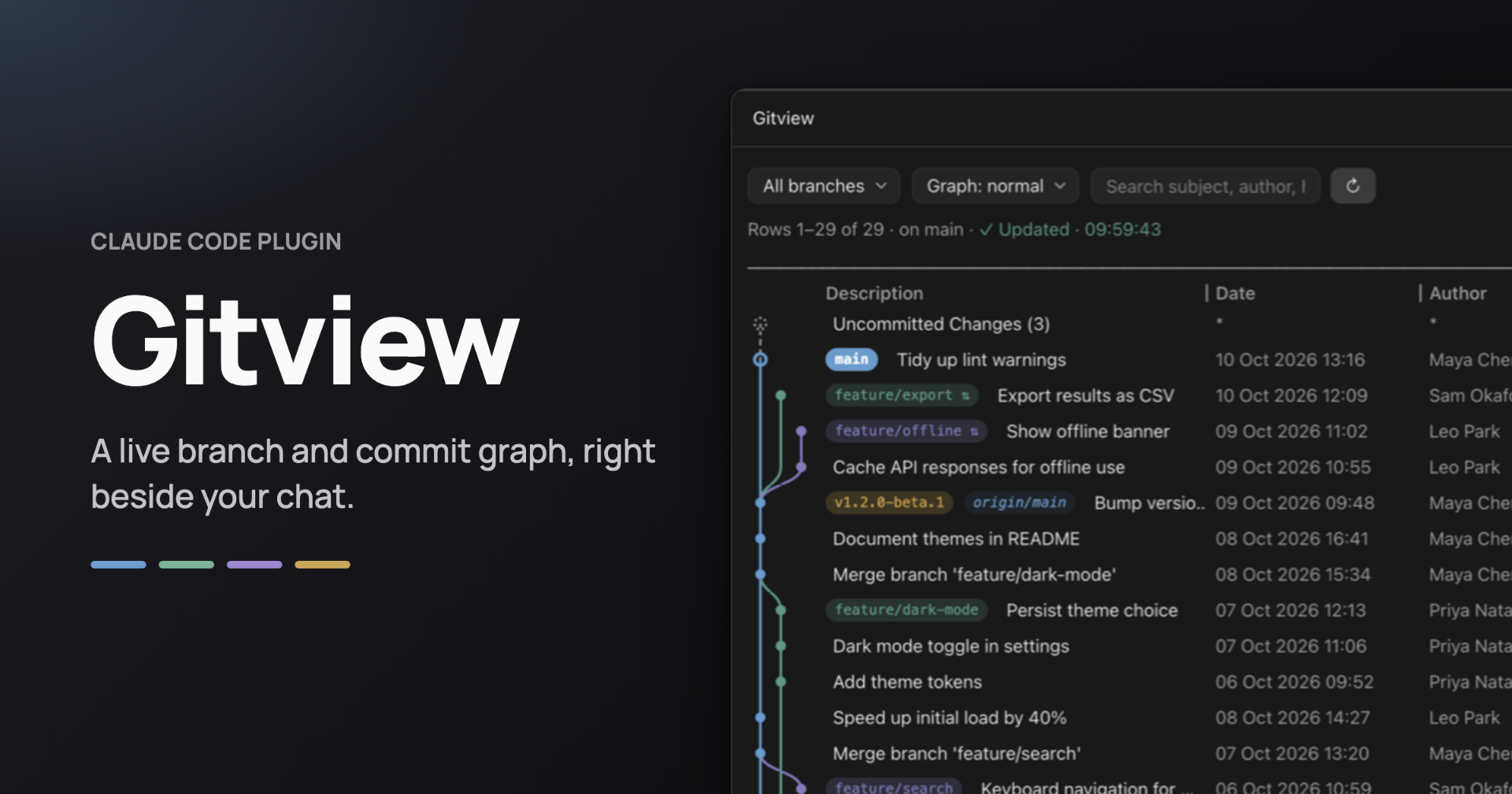
I wanted the picture to just be there. So I built Gitview, a Claude Code plugin that keeps a live branch and commit graph open right next to the conversation.

What it does
Open a session in any git repository and the Gitview pane is already there. You get every branch, merge and tag as coloured lanes, with badges for local branches, remotes, tags and HEAD, plus a row for uncommitted changes.
It redraws after every Bash command Claude runs, and every 10 seconds besides. When Claude makes a commit, it's at the top of the graph by the time I look over.
Open any commit in place
Click a row and it opens right where it is: subject, author, date, parents, and every changed file with its added and removed lines. Click a file and its diff shows inline. Click it again to fold it away.
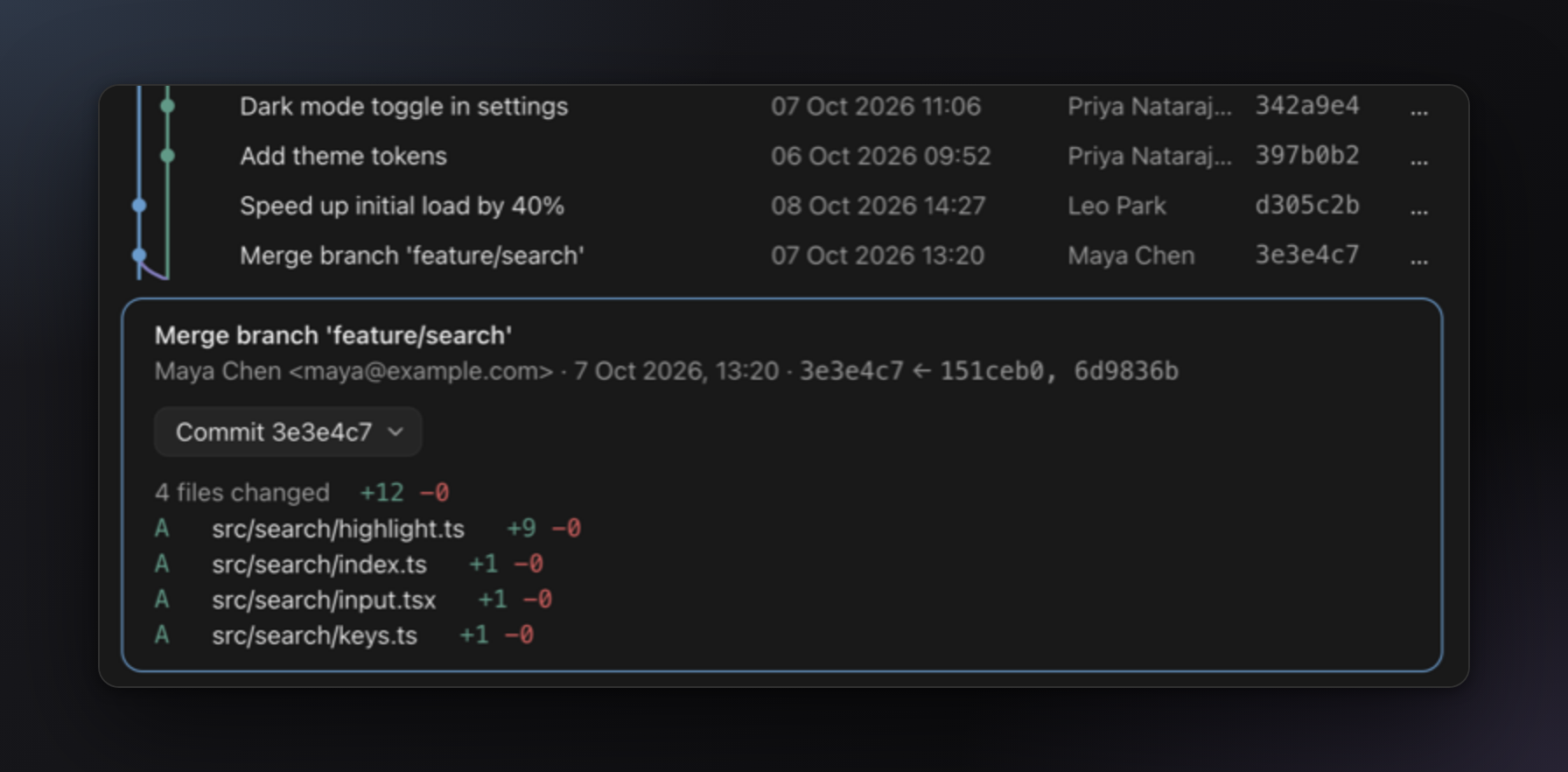
No switching apps, no copying hashes into another window.
Act from the graph, safely
Every commit, branch, tag and stash has a menu: check out, merge, rebase, cherry-pick, revert, reset, push, pull, stash and more.
The part I cared most about is that nothing runs by itself. Each action shows the exact git command it will run and waits for you to press Run.
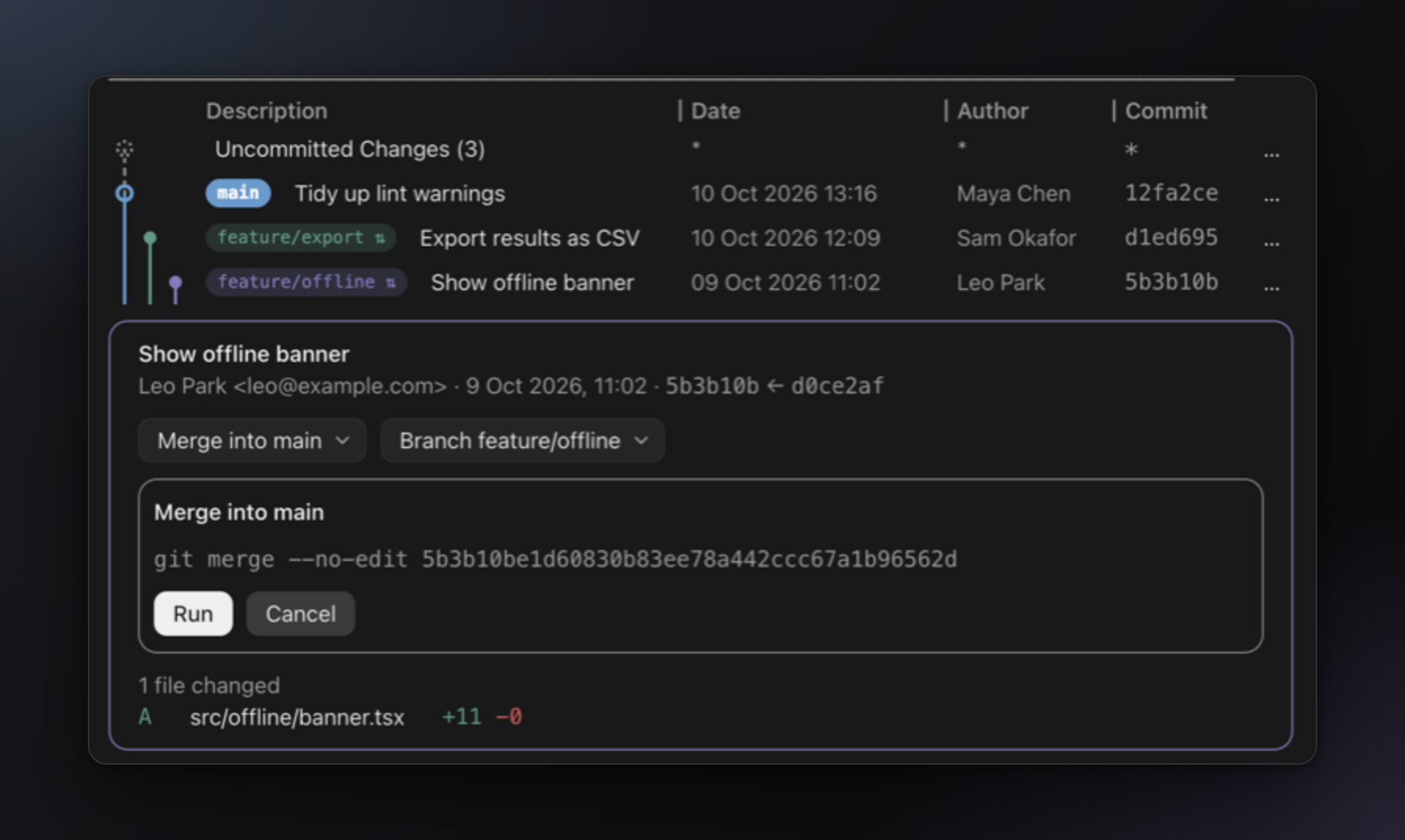
With an agent working in the same repository, things can move between seeing a confirm step and pressing Run. So before running anything, Gitview reads the repository again. If a branch, commit or stash moved since the step was shown, nothing runs and it tells you why. You never reset or drop something other than what you saw.
Built for busy histories
A small demo repo looks lovely in any graph tool. A real project, with dozens of branches and hundreds of remotes, is where most of them fall apart. I hit that on one of my own repositories, so Gitview now:
- resizes every column like a spreadsheet: drag a divider and the columns after it move along
- spreads the graph's lanes out when you drag its edge wider
- shortens dates and hashes to fit their column
- leaves out the history of untracked remote branches once there are more than 50, with one click to bring them back
- filters as you type across subjects, authors, hashes and branch or tag names, or narrows to a single branch
Works in the terminal too
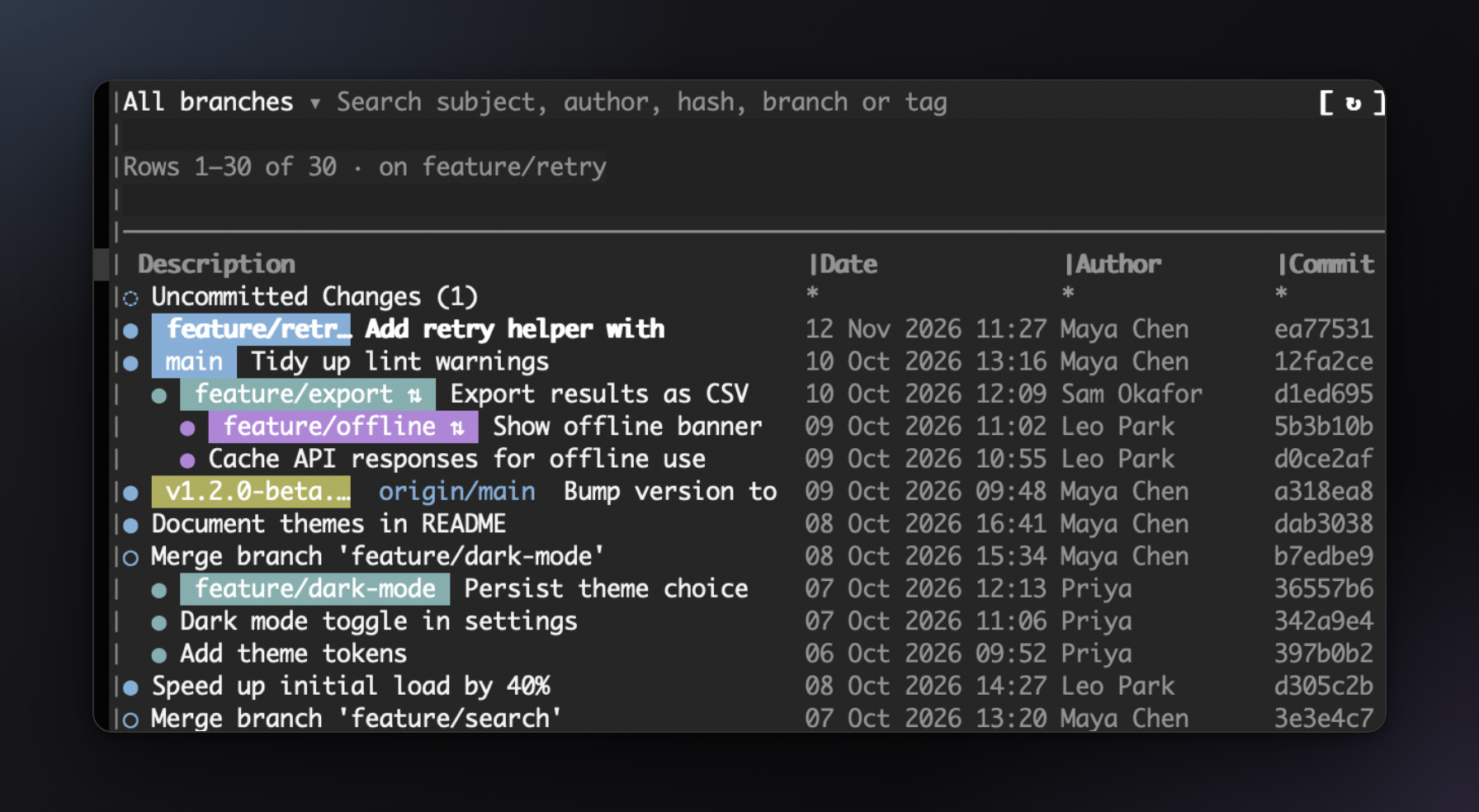
Run claude in any terminal and the pane docks beside the conversation, with the same graph, details, menus and live updates.
Careful with your repository
A tool that runs git for you should be boring about safety, so:
- It only reads until you press Run. Git's own prompts and editors are turned off, so nothing hangs waiting for input.
- Nothing leaves your machine. It runs plain
gitin the session's folder. The only network traffic is a push or pull you start yourself. - Conflicts stay tidy. Continuing a merge or rebase stages only the files that were in conflict, so unrelated edits don't sneak into the commit.
Try it
Gitview needs Claude Code and git 2.24 or later. In Claude Code, run:
/plugin marketplace add CyrisXD/gitview-for-claude
/plugin install gitview@gitview
In the desktop app you can also click + next to the prompt, choose Plugins, then Add marketplace, and enter CyrisXD/gitview-for-claude.
Start a session in a git repository and the pane opens on its own. If you close it, /gitview brings it back.
It's tested on macOS. Windows support is written but untested, so if you try it there, I'd love to hear how it goes. Bugs and ideas go in the issues, and the source is on GitHub under the MIT license.
Claude moves fast. Now you can see where it went.