Pilot Light: Keep Your Agents Running With the MacBook Lid Closed
My MacBook isn't really mine anymore during the day. It belongs to the agents.
Grok Bot is checking things for me. A custom bot is finding and qualifying leads. Another one gathers content and sources for the next thing I'm writing. Some days there's a coding agent in the mix too. None of them need me watching, and most of them never stop.
The problem is the lid. Close it to put the laptop in a bag, take it to a meeting, or just get it off the couch, and macOS puts the whole thing to sleep. Every agent stops mid-job.
The usual answer is "just leave it open". That works, but the screen stays on, the fans spin up and the battery drains as if someone were using it. I didn't want to babysit an open laptop for work that doesn't need a screen at all.
So I built Pilot Light, a small menu bar app that keeps your MacBook running with the lid closed, on a fraction of the power.
Why caffeinate isn't enough
The first thing most people reach for is caffeinate or one of the apps built on it. They keep the Mac awake while the lid is open, but closing the lid is a hard rule in macOS: power assertions don't override it. The Mac sleeps anyway, unless an external display, keyboard and charger are all plugged in.
The setting that does survive a lid close is the system sleep switch, pmset disablesleep. That's what Pilot Light uses. The catch is that it needs admin rights, and leaving sleep disabled on a laptop is risky if nothing is watching it. Most of Pilot Light is about making that safe.
What it does
When you close the lid while you're logged in, Pilot Light:
- keeps the Mac awake, so your agents, bots, scripts and downloads keep going
- switches to Low Power Mode
- turns the display off
When you open the lid, it puts your power settings back exactly how they were, separately for battery and charger.
It only does this while you're logged in. Log out or switch users, and closing the lid sleeps the Mac as normal.
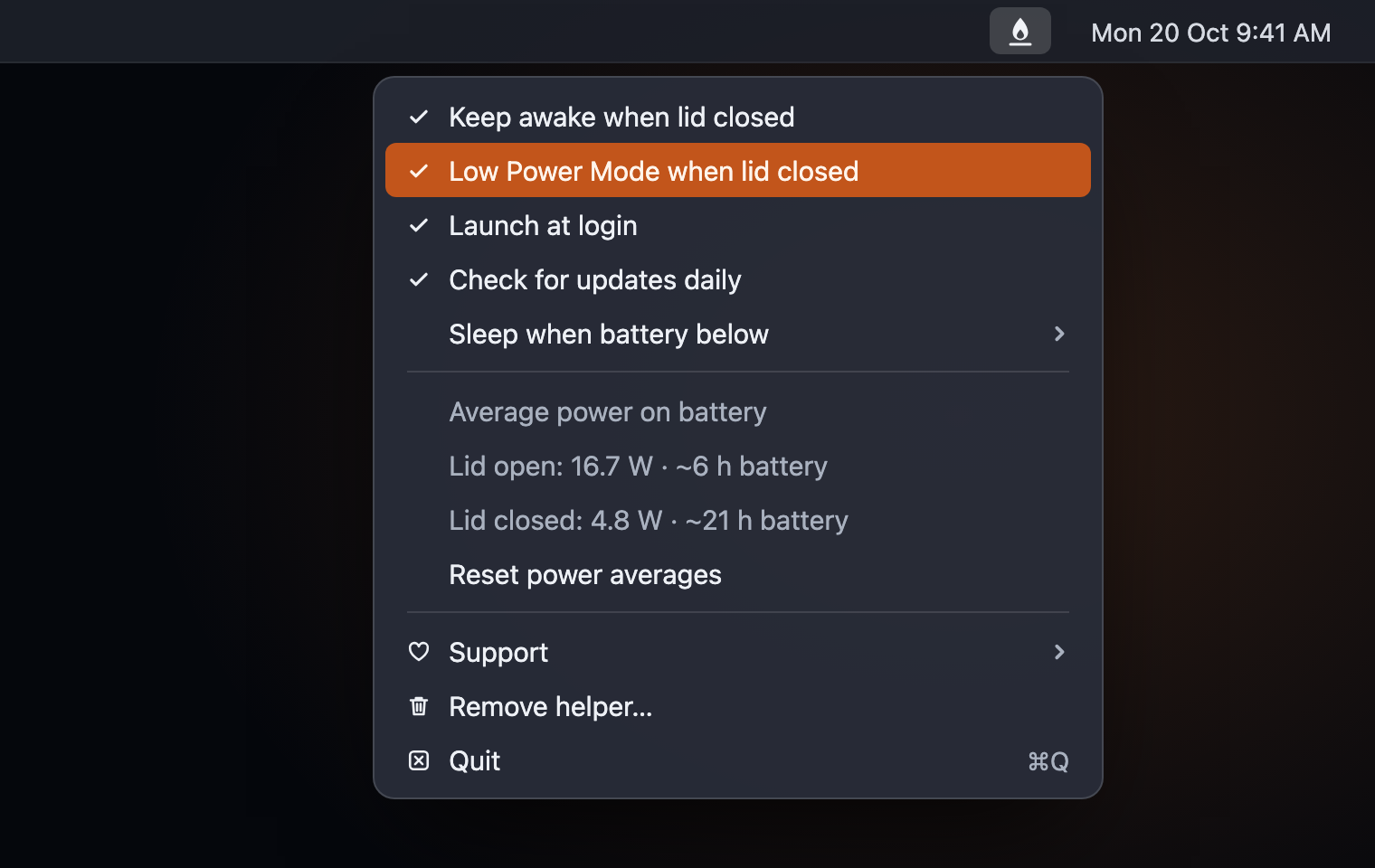
Everything lives in one menu, from the flame in your menu bar:
Safety first
Agents that run all the time mean a Mac that's awake all the time, and a laptop that can't sleep, shut in a bag, is a bad combination. So Pilot Light has a few cutoffs:
- Heat. If macOS reports serious heat with the lid closed, it lets the Mac sleep.
- Low battery. Pick a limit (10%, 15% or 20%) and it lets the Mac sleep before the battery runs flat.
- Crash recovery. If Pilot Light crashes or is force-quit, a small background check turns lid-close sleep back on within a minute. Your Mac is never left stuck awake.
- External displays. If you use your MacBook closed on a desk with a monitor, Pilot Light leaves it alone. No blanked screens, no Low Power Mode.
I tested the heat cutoff by making macOS report serious heat while the lid was closed. Pilot Light caught it within a few seconds and the Mac went to sleep, then carried on as normal when I opened the lid.
The numbers
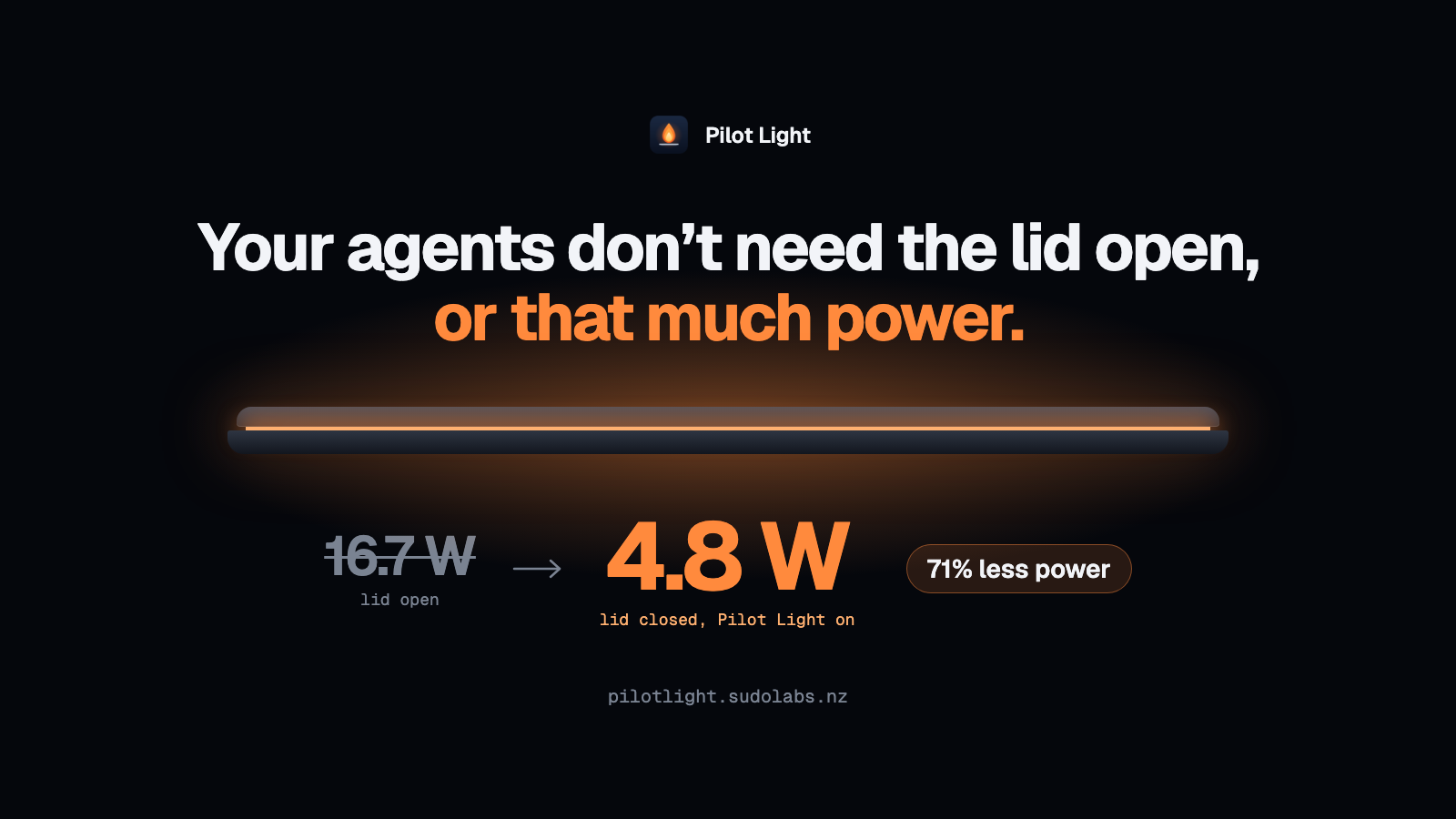
I measured whole-Mac power draw from the battery's own telemetry on my MacBook Pro (M5 Max, macOS 26.6), unplugged:
| Power draw | |
|---|---|
| Lid open | 16.7 W |
| Lid closed, Pilot Light on | 4.8 W |
| Lid closed, a coding agent building and testing a website | 2.3 W |
That last one surprised me. While I was measuring, I had Claude Code build a whole website from scratch and test every feature with Playwright, all with the lid shut. It averaged 2.3 W, about 86% less than the Mac uses with the lid open.
The reason is that most agents do their thinking in the cloud. Whether it's Grok, Claude or a custom bot calling an API, the laptop mostly sends a request and waits. With the screen off and Low Power Mode on, waiting is cheap. Heavy local work, like big builds or running models on the Mac itself, will draw more.
Pilot Light also measures your own Mac. The menu shows average power with the lid open and closed, and how many hours of battery that works out to.
Small on purpose
- One Swift file, no third-party code
- About 25 MB of memory and roughly 0% CPU while it waits
- A 900 KB download, universal for Apple silicon and Intel, macOS 13 or later
- The only network request is a once-a-day update check to GitHub, which you can turn off
It needs your password once, to install a helper that can change only the sleep and Low Power settings. Nothing else.
Try it
- Download Pilot Light and drag it to Applications.
- It isn't notarized yet, so the first time you open it, go to System Settings › Privacy & Security and click Open Anyway.
- Choose Install helper… from the menu bar icon and enter your password.
Then close the lid and let your agents get on with it.
To uninstall, choose Remove helper… from the menu, quit, and drag the app to the Bin.
It's a public beta, and so far it's only been tested on my Mac. If something doesn't behave the way I've described, please open an issue. The source is on GitHub under the MIT license.
Your agents don't need a screen. Now they don't need the lid open either.